Summer Juice makeup game
Make a bright summer look on a 3D portrait. The Summer Juice theme pairs warm coral, orange and yellow with pink and fresh greens. Open the untimed studio below and build your own version with real brush strokes.
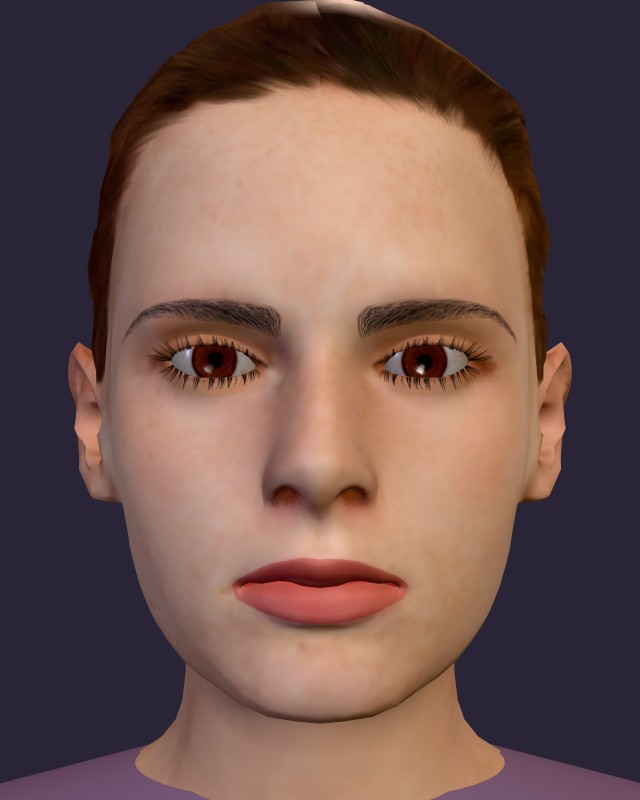
The button chooses Summer Juice and the Daily starter, which supplies a neutral base. It does not reproduce the screenshot automatically. To use Lina instead of Maya, choose her on the homepage, then return here and open the studio.
Pick your summer colors
The six theme colors are coral #ff7f50, orange #ffa502, yellow #f9ca24, green #2ed573, pink #ff5c8a and mint #1dd1a1. Try a warm main color and one small cool accent rather than applying every shade everywhere.
Daily suggestions include neutral colors. Use the full Color grid or Custom to select a theme color. On a phone, open Settings to reach these controls, brush size and opacity.
Paint the look in four passes
- Eyeshadow: choose coral or orange, then sweep lightly over the lids. The model closes her eyes when you select Eyeshadow. Mirror starts on so both sides follow. Leave Clip to lids & lips enabled; add a small mint accent if you want contrast.
- Blush: brush coral or pink across the cheeks at low opacity. Mirror helps keep the two cheeks balanced. A second light pass is easier to adjust than one heavy patch.
- Lipstick: select pink, use the Lips view and color both the upper and lower lip. Clip keeps this brush inside the mouth. On mobile, the view buttons are inside Settings.
- Gloss: add a short stroke across the center of the lips. Skip it if you prefer a flatter finish. Optional yellow glitter at an eye corner can echo the palette without covering the whole lid.
Adjust without starting again
Drag on the portrait to paint. Turn Orbit on before dragging to rotate the head, and turn it off to resume painting. Pinch with two fingers to zoom; that gesture does not paint. Undo removes the last committed stroke, and Redo restores it. Use a smaller brush for lip edges.
Finish and keep your summer look
Press Finish to see the before-and-after images and your painting score. The score measures painting activity, theme colors and tool variety; it is not a beauty judgment. Free studio has no clock and awards no coins.
Save to gallery stores the image in this browser, with room for eight looks. Download image keeps a separate file. Clearing browser site data removes local drafts and gallery images, so download anything you want to keep.
For a darker palette, try Gothic Night. For a soft pink base, try Sweetheart. Compare all three makeup looks, or read the full controls guide.